Description
Target Audience: Homeschool moms (primary) + Parents + Teachers
Primary Keyword: “screen time preschool” (1,800 searches/mês)
Secondary Keywords: “preschool screen time guidelines”, “educational apps for preschoolers”, “too much screen time toddlers”, “balance screen time kids”, “printables vs screen time”
Meta Description (158 caracteres): “Screen time guidelines for preschoolers ages 3-4. How much is okay, balancing digital learning with hands-on activities & printables. Real solutions!”
You’re trying to make lunch while your 3-year-old melts down. You hand them your phone with a kids’ app and suddenly: silence. Blessed silence.
Ten minutes later, guilt creeps in. “Should I feel bad about this? Am I using screens as a babysitter? Will this affect their development?”
If you’re a homeschool mom juggling multiple kids, working from home while trying to do preschool, or just a parent surviving the daily chaos, you’ve probably felt this guilt. The pressure to be “screen-free” while also needing 20 minutes of peace (or focused teaching time with another child) can feel impossible.
Here’s the truth: screens aren’t inherently evil, and you’re not a bad parent for using them. But how MUCH and how WELL you use them matters—especially for developing brains.
This guide will help you find a realistic balance: using screens intentionally when they serve your family, but prioritizing hands-on, active learning that builds the skills your preschooler actually needs.
What you’ll discover:
- Research-backed screen time guidelines for ages 3-4
- Why hands-on learning beats digital learning (the science!)
- How to use screens intentionally (not just as default entertainment)
- Best educational apps and content (and what to avoid)
- Practical strategies to reduce screen time without tantrums
- How printables, worksheets, and hands-on activities compete
- Real-life balance for busy homeschool families
No judgment. No perfection. Just realistic guidance for real families.
The Screen Time Research for Preschoolers (What Science Actually Says)
Let’s start with facts, not fear-mongering.
AAP (American Academy of Pediatrics) Recommendations:
For ages 2-5:
- Maximum 1 hour per day of high-quality programming
- Co-viewing when possible (watch/interact with them, not just hand them a device)
- Avoid screens 1 hour before bedtime (disrupts sleep)
- No screens during meals or family time (disrupts connection)
- Choose high-quality educational content over random YouTube videos
Important context: These are GUIDELINES, not rigid rules. Some days you’ll exceed them. That’s okay. Consistency over time matters more than perfection every day.

What Research Shows About Screens & Development
The Concerns (Why Limits Matter):
Brain Development:
- Ages 0-5 are critical for brain development
- Hands-on, real-world experiences build neural pathways more effectively than screen-based learning
- Excessive screen time can interfere with language development, attention span, and self-regulation
Physical Health:
- Screens are sedentary—kids need 3+ hours of active play daily
- Blue light exposure before bed disrupts melatonin and sleep quality
- Screen time often displaces outdoor play, which is crucial for development
Social-Emotional Development:
- Face-to-face interaction is irreplaceable for developing empathy, reading social cues, and building relationships
- Screens don’t teach conflict resolution, emotional regulation, or cooperation
- Too much passive entertainment reduces opportunities for creative play
Attention & Behavior:
- Fast-paced content (quick cuts, loud sounds) can overstimulate and reduce attention span
- Some studies link excessive screen time to behavioral issues
- Screens provide constant stimulation; real life requires patience and focus
The Nuance (It’s Not All Bad):
Not all screen time is equal:
- Educational co-viewing with parent discussion = better than passive watching alone
- Slow-paced, educational content = better than fast-paced entertainment
- Video calls with grandparents = connection, not harmful screen time
- Interactive apps requiring problem-solving = better than passive consumption
Screens aren’t inherently harmful—it’s about HOW and HOW MUCH.
Why Hands-On Learning Beats Digital Learning for Preschoolers
Here’s the key insight: preschool-aged brains learn best through multi-sensory, physical experiences—not screens.

How Young Children Learn (The Science)
Concrete Operational Stage (Piaget): Ages 2-7 are in the “preoperational” stage. They learn through:
- Concrete objects they can touch, manipulate, and explore
- Real experiences in the physical world
- Cause and effect they can directly observe
- Social interaction with real people
Abstract concepts on a screen are much harder for preschool brains to process and retain.
Example: Learning to Count
Screen-based learning: Child watches animated numbers on screen. Hears “1, 2, 3!” with colorful visuals.
What they learn: Rote memorization of number sequence (like memorizing a song)
Hands-on learning: Child counts real blocks, touching each one. “1, 2, 3—you have three blocks!”
What they learn: One-to-one correspondence, cardinality, number sense, fine motor skills
The difference is huge. The screen teaches surface-level knowledge. Hands-on teaches deep understanding.
What Hands-On Learning Provides (That Screens Can’t)
Multi-Sensory Input:
- Touch (tactile learning)
- Movement (kinesthetic learning)
- Spatial awareness
- Real-world problem-solving
When a child builds a block tower, they learn physics (balance, gravity), spatial relationships, planning, and fine motor skills. A screen version? They tap and watch. Minimal learning.
Active vs. Passive:
- Hands-on = child is DOING (active brain engagement)
- Screen = child is WATCHING (passive consumption)
Active learning creates stronger neural pathways and better retention.
Social Interaction:
- Hands-on activities often involve others (parent, sibling, classmate)
- Conversation, collaboration, conflict resolution—all critical skills
- Screens isolate
Attention & Focus:
- Hands-on activities require sustained focus (puzzles, building, drawing)
- Screens provide constant stimulation and immediate rewards—reducing ability to focus on slower-paced activities
Emotional Regulation:
- Hands-on activities teach patience, frustration tolerance, and delayed gratification
- Screens provide instant gratification—which doesn’t exist in real life
This doesn’t mean screens are terrible. It means hands-on learning should be your PRIMARY mode of education for ages 3-4, with screens as an occasional supplement—not the main course.

The Case for Printables, Worksheets & Hands-On Materials
Many homeschool parents wonder: “Should I use printables and worksheets, or are they too much like ‘school’?”
Here’s the truth: printables are hands-on learning. And they have significant benefits over screen-based activities.
Why Printables Beat Apps for Preschool Learning
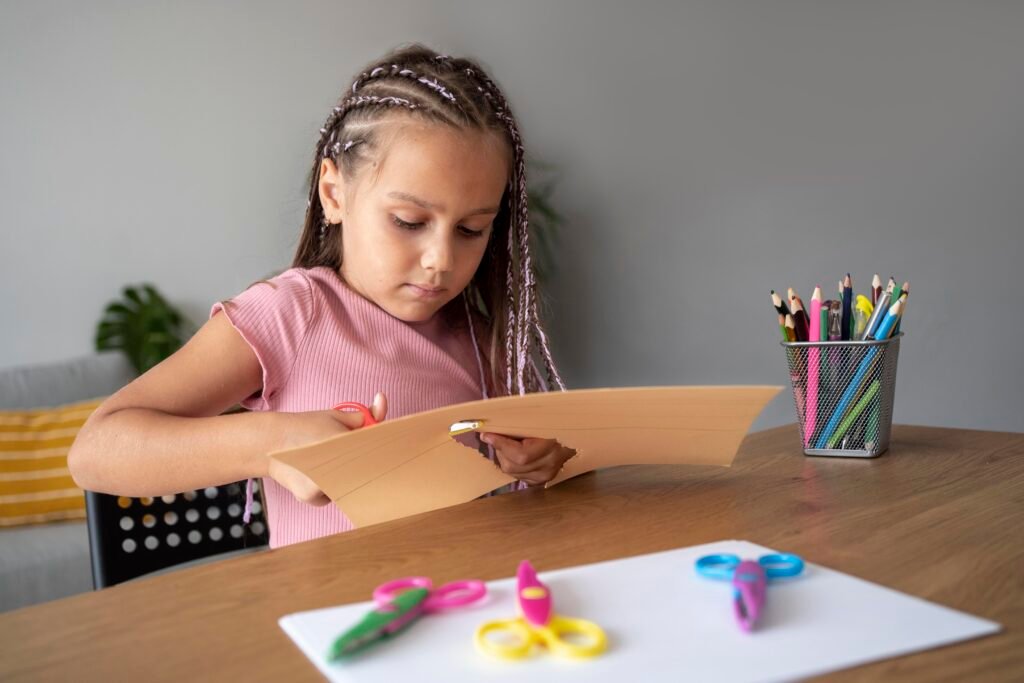
- Builds Fine Motor Skills Using crayons, pencils, scissors, and glue on paper strengthens the same hand muscles needed for writing. Tapping a screen doesn’t.
- No Distractions Printables don’t have pop-ups, ads, autoplay, or notifications. They’re focused learning without overstimulation.
- Tactile Learning Holding paper, feeling textures, manipulating physical objects engages the brain differently than flat screens.
- No Screen Fatigue Eyes and brains aren’t strained by blue light. Children can work longer without overstimulation.
- Develops Patience & Focus Completing a worksheet or craft requires sustained attention. Apps often provide instant feedback and constant stimulation—training brains for short attention spans.
- Parent Can See Progress Physical work samples show growth over time. You can display artwork, save worksheets, track development. Digital work disappears.
- Less Addictive Printables don’t have gamification features designed to keep kids hooked. When the activity is done, it’s done. Screens always tempt “just one more.”
How to Use Printables Effectively (Not Boring Worksheets!)
Keep It Short: 5-10 minutes for 3-year-olds, 10-15 minutes for 4-year-olds. Don’t push longer—short and positive beats long and frustrating.
Make It Interactive: Use printables as jumping-off points. Letter coloring page? Discuss the letter, find objects starting with it, sing a song. The printable is the tool, not the whole lesson.
Offer Choices: “Do you want to do the cutting activity or the coloring page?” Autonomy = engagement.
Integrate with Hands-On: Printable doesn’t have to be done at a table with a pencil. Cut it out, glue pieces, add playdough, use stickers, paint it. Make it multi-sensory!
Don’t Force Perfection: The goal is EXPOSURE and PRACTICE, not perfect products. Celebrate effort, not outcome.
Get Free Learning Activities!
Join thousands of parents and teachers who receive our best activities, tips, and printables every week. Plus, get instant access to our exclusive resource library!
No spam, ever. Unsubscribe anytime.
How to Use Screens Intentionally (Not as Default Babysitter)
Screens CAN be part of a healthy preschool learning environment—if used intentionally.
Intentional Screen Time vs. Default Screen Time
Default Screen Time (Avoid This):
- Handed to child without thought whenever they’re bored, fussy, or you need a break
- Used during meals, car rides, waiting rooms—filling every moment of potential boredom
- No time limit—child watches until device is taken away (cue tantrum)
- Random content—whatever autoplays next on YouTube
- Solo activity—child zones out alone
Intentional Screen Time (Aim for This):
- Planned and limited (“You can watch one episode after lunch”)
- Pre-selected quality content (not random YouTube rabbit holes)
- Co-viewing when possible (watch together, discuss, interact)
- Clear time boundaries child understands (“When the timer goes off, screen time is done”)
- Balanced with ample active play, outdoor time, read-alouds, and hands-on activities
Best Educational Apps & Content for Ages 3-4
If you use screens, choose quality content that engages (not just entertains).
Top Educational Apps (Interactive, Not Passive):
Khan Academy Kids (FREE!)
- Comprehensive curriculum: literacy, math, social-emotional
- Adaptive learning (adjusts to child’s level)
- No ads, no in-app purchases
- Encourages offline activities too
- Verdict: Best free option for well-rounded learning
PBS Kids Video & Games
- High-quality educational content
- Familiar characters (Daniel Tiger, Curious George, etc.)
- Social-emotional focus
- Verdict: Great for co-viewing, especially social skills
Starfall (Literacy focus)
- Phonics and early reading
- Interactive and engaging
- Free version available, paid subscription for full access
- Verdict: Excellent for letter sounds and early reading
Endless Alphabet (Vocabulary)
- Teaches vocabulary through interactive word-building
- Adorable animations
- No reading required—entirely audio-based
- Verdict: Great for building vocabulary
Montessori-inspired apps:
- Montessori Crosswords: Letter sounds and word-building
- Intro to Math by Montessorium: Counting and number sense
- Verdict: High-quality, minimal distraction, skill-focused
What to AVOID:
- YouTube Kids (autoplay leads to endless watching)
- Apps with lots of ads or in-app purchases
- Fast-paced, overstimulating content
- Apps that are purely passive (no interaction required)
Best TV Shows (If You Use TV):
For Social-Emotional Learning:
- Daniel Tiger’s Neighborhood (emotional regulation, empathy)
- Bluey (creative play, family dynamics—parents love this too!)
- Sesame Street (classic, well-rounded)
For Cognitive Learning:
- Peg + Cat (math concepts)
- Super Why (literacy)
- Curious George (problem-solving, science)
Key: Watch together when possible. Pause and discuss. Ask questions. This transforms passive watching into active learning.
Practical Strategies to Reduce Screen Time (Without Tantrums)
Reducing screen time is hard—especially if your child is used to unlimited access. Here are strategies that actually work.

Strategy 1: Create Screen-Free Zones & Times
Establish clear boundaries:
- No screens during meals
- No screens in bedrooms
- No screens 1 hour before bed
- No screens during sibling playtime
Why it works: Clear rules remove negotiation. “We don’t do screens at dinner” is easier to enforce than “Maybe just this once…”
Strategy 2: Use Timers (Visual & Auditory)
Instead of: “Okay, 5 more minutes!” (repeated 10 times with escalating frustration)
Try: Set a visible timer. “When the timer beeps, screen time is done. Let’s look at the timer together. You have 10 minutes.”
Why it works: Timer is the “bad guy,” not you. It’s neutral and predictable.
Bonus: Use Time Timer (visual countdown) so child can SEE how much time is left.
Strategy 3: Offer Engaging Alternatives BEFORE Boredom Hits
The problem: Child asks for screen → you say no → tantrum because they have nothing else to do.
The solution: BEFORE screen requests, set up engaging alternatives:
- Playdough station ready on table
- Blocks or building materials accessible
- Art supplies organized and available
- Sensory bin out and ready to use
- Audiobooks or music playing
Why it works: Prevents boredom (the #1 trigger for screen requests).
Strategy 4: Transition Away from Screens Gradually
Don’t go cold turkey. If your child currently watches 3 hours/day, dropping to 1 hour tomorrow will be a disaster.
Gradual reduction: Week 1: Reduce by 15-30 minutes
Week 2: Reduce another 15-30 minutes
Week 3: Reduce again
Week 4: At goal (1 hour or less)
Why it works: Gradual change is sustainable. Everyone adjusts together.
Strategy 5: Make Offline Activities More Appealing
Screens are designed to be addictive—bright colors, sounds, instant rewards. Make offline activities appealing too!
How:
- Join them! Build blocks TOGETHER. Color WITH them. Play is more fun with you.
- Make it special: “Let’s make playdough together!” “Want to paint outside?”
- Add novelty: Rotate toys, introduce new crafts, change up activities
- Offer choices: “Do you want to do puzzles or play with cars?”
Why it works: Screens can’t compete with quality parent interaction and novel activities.
Strategy 6: Replace Screen Rewards with Other Rewards
Instead of: “If you clean up, you can watch TV.”
Try: “If you clean up, we can go to the park!” “If you finish lunch, we’ll read three books together!”
Why it works: Stops associating screens with reward/value. Other activities become desirable too.
Strategy 7: Model Healthy Screen Use
Your child watches YOU. If you’re on your phone constantly, they’ll want screens constantly.
Practice:
- Put phone away during meals, play, and bedtime
- Announce when you’re using your phone: “Mommy is texting Grandma. When I’m done, we’ll play.”
- Have phone-free times: “We don’t use phones from 5-7pm—that’s family time.”
Why it works: You can’t expect them to limit screens if you don’t.

A Balanced Day for Homeschool Preschool (Screen Time in Context)
Here’s what a balanced day might look like—showing how screen time fits (or doesn’t) into a healthy preschool routine.
Sample Daily Schedule (Homeschool 4-Year-Old):
8:00 AM – Wake Up & Breakfast No screens. Conversation, connection, morning routine.
9:00 AM – Structured Learning Time (30-45 min)
- Circle time (calendar, weather, song)
- One focused activity: literacy, math, or theme-based
- Uses printables, hands-on materials, books No screens.
9:45 AM – Free Play Child chooses activity: blocks, dolls, dress-up, building, cars No screens.
10:30 AM – Outdoor Time (1 hour) Park, backyard, nature walk, ride bike No screens.
11:30 AM – Help with Lunch Prep + Eat Practice life skills, conversation No screens.
12:30 PM – Quiet Time/Nap Child rests in room with books, quiet toys, audiobooks (not video!) Optional: 20-30 min educational app or show if needed for mom’s work/break time
2:00 PM – Snack + Read-Aloud Parent reads 2-3 books together No screens.
2:30 PM – Creative Activity Art, playdough, sensory bin, craft, baking together No screens.
3:30 PM – Free Play / Errands / Sibling Play Optional: 20-30 min screen time while mom makes dinner (educational show/app)
5:00 PM – Dinner Prep & Family Dinner Child helps set table, everyone eats together No screens.
6:00 PM – Family Time Walk, play outside, board game, build something together No screens.
7:00 PM – Bath & Bedtime Routine Bath, brush teeth, stories, songs No screens (especially 1 hour before sleep).
Total Screen Time in This Day: 0-60 minutes (in 1-2 blocks, if used)
Notice:
- Screens (if used) are limited, intentional, and timed
- Most of the day is active, hands-on, social, outdoor
Learning happens through play, conversation, real experiences—not screens
Printables & Hands-On Activities That Replace Screen Time
Need alternatives to screens? These hands-on activities provide engagement without devices:
Low-Prep Activities (5 Minutes Setup)
- Playdough Station – Set out playdough, cookie cutters, rolling pin. Instant 20-30 minutes of focused play.
- Coloring/Drawing – Provide paper, crayons, markers. Let them create freely.
- Cutting Practice – Printable cutting sheets + child-safe scissors. Builds fine motor skills.
- Sensory Bin – Rice/beans/water beads + scoops, funnels, small toys. Engaging and calming.
- Sticker Fun – Give them stickers + paper. They create sticker art.
- Puzzles – Age-appropriate puzzles always available.
- Building Blocks – Legos, Duplos, wooden blocks. Open-ended and educational.
Printable Activities (From Your Curriculum)
- Letter Tracing Sheets – Practice forming letters with crayons/markers.
- Number Coloring Pages – Color by number, count and color activities.
- Cutting & Gluing Crafts – Cut out shapes, glue onto paper—fine motor + creativity.
- Matching Games – Print and laminate matching cards (letters, numbers, shapes, animals).
- Mazes – Age-appropriate mazes build pencil control and problem-solving.
- Dot-to-Dot – Connect dots to reveal pictures—number recognition + fine motor.
- Themed Worksheets – Related to your weekly theme (animals, seasons, etc).
No-Prep Activities (Zero Setup)
- Read-Alouds – The BEST screen alternative. Read 3-5 books together.
- Songs & Movement – Sing and dance together. Burns energy, builds language.
- Pretend Play – Dolls, kitchen set, dress-up, cars. Child-led imaginative play.
- Help with Real Tasks – Fold laundry, set table, help cook. Life skills + connection.
- Outdoor Play – Go outside! Nature, playground, sidewalk chalk, bike riding.
- Audio Stories – Audiobooks or podcasts for kids (not video—just audio!).
The beauty of printables: They’re hands-on, screen-free, skill-building, AND they give you a visual record of progress!
Frequently Asked Questions About Screen Time
Is 1 hour of screen time too much for my 4-year-old? One hour of high-quality, educational content is within AAP guidelines for ages 2-5. The key is WHAT they’re watching and what they’re doing the REST of the day. If they also get outdoor play, hands-on activities, and social interaction, 1 hour is fine.
What if my child has a complete meltdown when screen time ends? This is normal but can be reduced. Use visual timers so they see time running out. Give warnings: “5 minutes left.” Stay calm and consistent: “Screen time is over. Let’s go play with blocks.” If meltdowns persist, reduce screen time gradually—the addiction is real.
Are educational apps as good as hands-on learning? No. Even high-quality apps can’t replace the multi-sensory, social, physical learning of hands-on activities. Apps can SUPPLEMENT, but shouldn’t be your primary teaching method for ages 3-4.
My child only wants screens. How do I change this? Start by reducing gradually (not cold turkey). Make offline activities more engaging by participating WITH them. Offer choices. Be consistent with boundaries. It will take time, but their brains will adjust and rediscover offline play.
Is TV during meals okay? AAP recommends no screens during meals. Meals are for conversation, connection, and mindful eating. TVs during meals reduce family interaction and can lead to overeating (distracted eating).
What about educational YouTube videos? YouTube is tricky because autoplay leads to endless watching. If you use it, manually select specific videos, turn off autoplay, and co-view. Better option: Use apps with curated content (PBS Kids, Khan Academy Kids) without autoplay features.
Can too much screen time cause speech delays? Excessive screen time (especially before age 2) has been linked to language delays because it reduces face-to-face conversation—the primary way children learn language. At ages 3-4, prioritize real conversations, read-alouds, and interactive play over screens.
Conclusion: Balance, Not Perfection
Screens aren’t evil. You’re not a bad parent for using them. But for developing brains, real-world, hands-on, social experiences are irreplaceable.
Your job isn’t to eliminate screens entirely. It’s to find a sustainable balance where screens serve your family intentionally—without taking over.
Remember:
- 1 hour/day of quality content is fine (AAP guideline)
- Hands-on learning > screen-based learning for ages 3-4
- Printables and worksheets ARE hands-on learning (not “screen time”)
- Use screens intentionally, not as default when child is bored
- Model healthy screen habits yourself
- Prioritize: outdoor play, read-alouds, pretend play, creative activities
- Give yourself grace on hard days
You’re doing great. The fact that you’re even thinking about this shows you care deeply about your child’s development.
Continue building a balanced preschool experience:
- Toddler Alphabet Workbook – Animal Sounds Habitats Dot Marker Tracing Fine Motor Ages 2-4
- Pre-K Kindergarten Animal Alphabet Workbook – Habitats Tracing Handwriting Dot Marker
- My Busy Book – Cut Match Activities for Preschool and Kindergarten
- Preschool Skills Assessment – Pre-K Portfolio Kindergarten Readiness
- Ultimate Homeschool Planner – Complete Learning Kit
Want a screen-free, hands-on curriculum that does the planning for you? Our Complete Preschool Curriculum includes hundreds of printables, hands-on activities, and structured lesson plans for ages 3-4—giving your child rich, engaging learning experiences WITHOUT screens. Every activity is designed to build real skills through play, exploration, and creativity. Includes weekly lesson plans, monthly themes, and all the printables you need for an entire year of preschool learning!